The Brief
A concrete and landscaping contractor in Bakersfield messaged me wanting his first website. For years his work had spread by word of mouth, and he had a phone full of proof: finished patios, driveways, backyards, etc. He just didn't have anywhere to send customers.
Before writing any code, I needed to know what to build, not how. My first questions were too technical and only confused him, so I switched to asking about his work and how he'd use the site, and his answers set the spec.
- How many photos? About 100Categories and subcategories, not one giant pile.
- How often will you add new ones? After almost every jobSelf-serve. He had to be able to post without help from anyone.
- Where are they? On my phoneMobile-first.
- Comfortable with tech? Not much, but it's easy to post on InstagramAn upload flow as easy as posting to Instagram. Reinforced mobile-first.
Labels in Spanish.
English isn't his first language and he's not great with tech, so every label is in Spanish, telling him exactly what to do.
Free to run.
He's a small business owner, so I kept his costs down. Nothing to pay to keep it online.
Build vs Buy
He was clear from the start: he wanted a site that felt like his, not a template like every other contractor in town. So the look wasn't a nice-to-have, it was the brief.
-
Off-the-shelf builder
Wix, Squarespace, CompanyCam, Houzz ProHe could edit it himself, but they template the look (the one thing he asked me not to do) and bill monthly, anywhere from $16 to $399. Even the polished ones make him a tenant on someone else's platform.
So I built custom. -
A custom static site
Build it myselfCustom met the look and cost the templates couldn't. But he adds a photo after almost every job, from his phone, for as long as the site is up. On a static site every one of those is a code change I make for him, and the first ~100 would've been hand-built markup. He had to be able to publish without me.
So the site had to be dynamic, with content he could feed himself. -
Hand him the CMS's own studio
A headless CMS as his editorA headless CMS lets him post without touching code, and runs on a free tier. But its studio is built for a developer, not for a guy posting one-handed on his phone in his second language. Too clunky to be his.
So I built one more layer. -
A Spanish upload page on top
What's liveOne screen, a few fields, as easy as posting to Instagram. His own custom look, no monthly subscription.
Picking the CMS took two tries. I built it on Decap (formerly Netlify CMS) first, then tore it down when its git-based model committed every photo he posted into the repo and kicked off a rebuild. I moved to Sanity, which keeps his content in a hosted dataset, off the repo entirely, so posting a photo isn't a code change anymore.
Sunk cost is still a cost, but shipping the wrong tool is worse.
His Upload Page
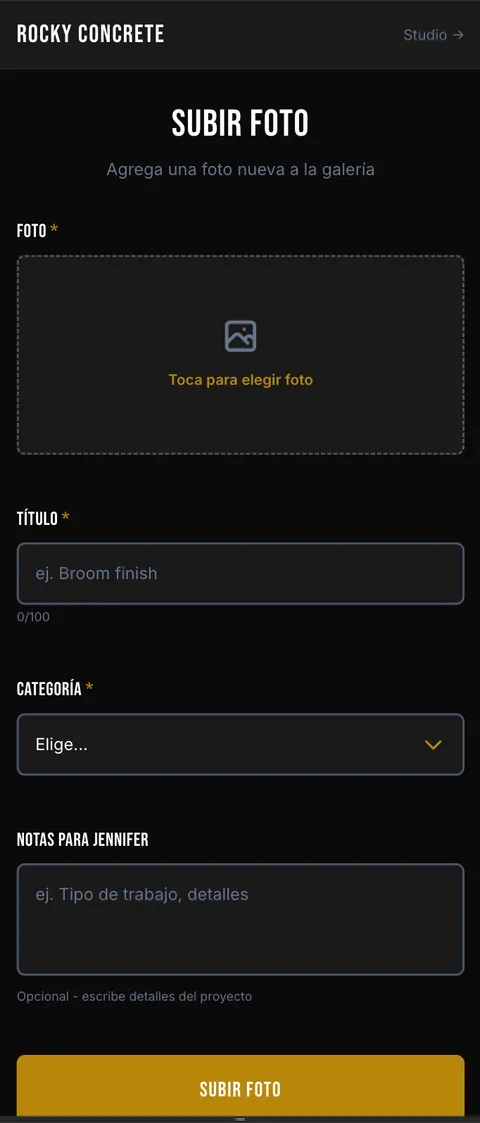
What he sees · /upload
I kept Sanity as the backend and built him his own door in front of it.
His page only had to do one thing: let him add a photo of a finished
job, the one thing he wanted from the site. One screen at /upload, a few fields, submit.
Behind the form, /api/upload converts the iPhone's HEIC straight to JPEG on his phone (browsers won't
render HEIC), so he sends a smaller file and my server never touches the
original. Then it pushes the image to Sanity's CDN, creates the galleryItem document, and copies his title into the alt text so the site stays accessible.
What I keep · Sanity Studio
Curation. He posts the raw work; the Studio is where I make the site look curated. I set the featured photos, the order each category shows in, and the cover shots, none of it touching his page. When he sends a batch from one job, I group them so they read as one project.
Alt text, automated. Seeding the gallery meant about 100 photos, each one needing alt text for accessibility. I wrote a script that ran them through Claude to generate the alt text and title from the image itself, then wrote both straight to Sanity. I reviewed every one in the Studio, and fixing a label was a click, not a hunt through code.
Maintainability. His work lives in Sanity, not hardcoded in my files, so I'm not the only one who can keep the gallery running. Any developer could take it over, and if he ever needs more than posting a photo, he can hand it to someone who works in Sanity.
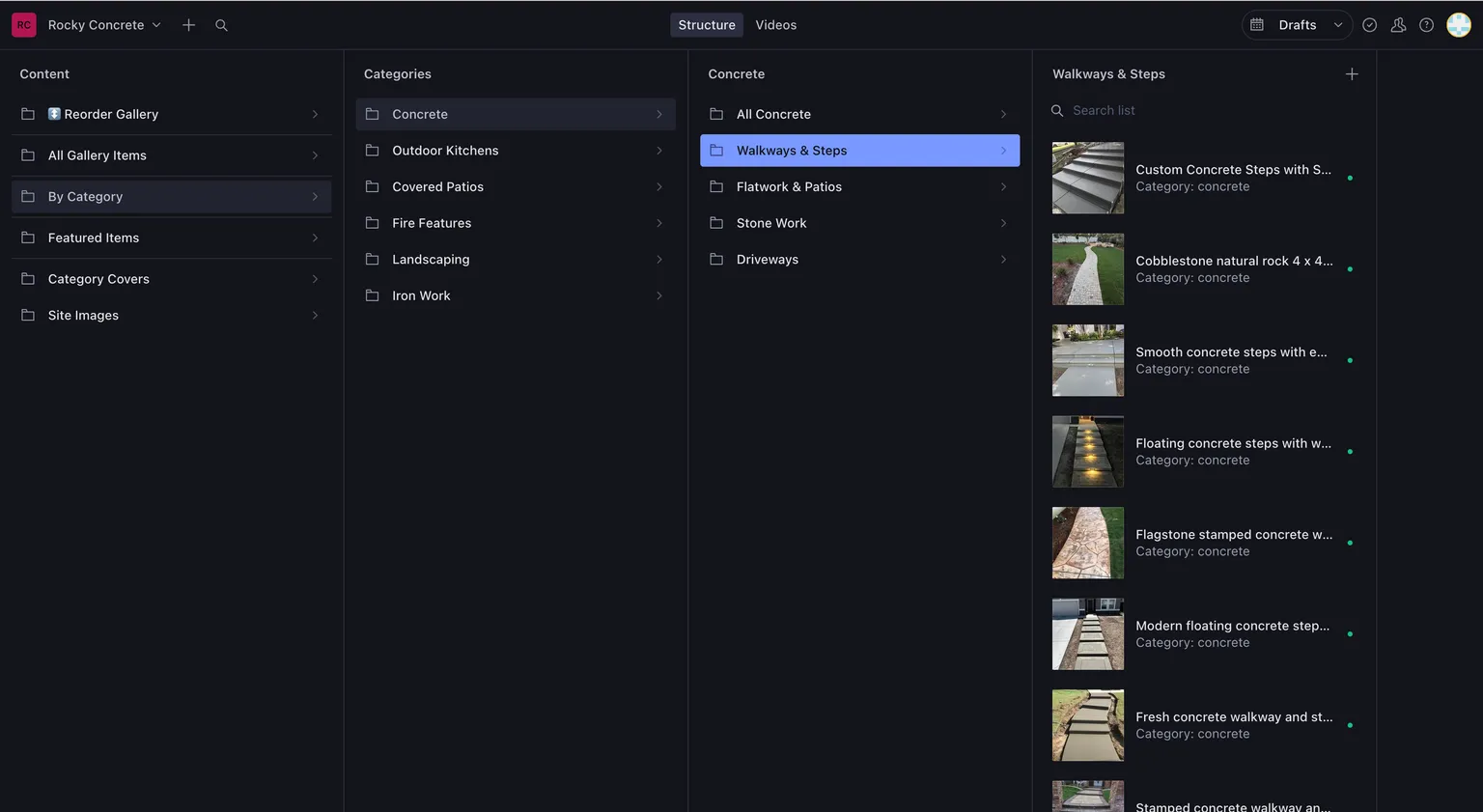
Same database, two doors in. He posts a job; I curate how it shows.
The notes field is doing more than it looks. It's an async channel between us: he leaves a note ("put this one first," or "this is the Hendersons' backyard"), I see it in Sanity, I handle it. No phone call, no scheduling, no "are you free." The tool absorbed the back-and-forth that used to be a conversation.
The result is the thing I set out to build: he posts his own work, from his phone, in his language, and the site updates itself. He doesn't need me to keep his business online.
The System
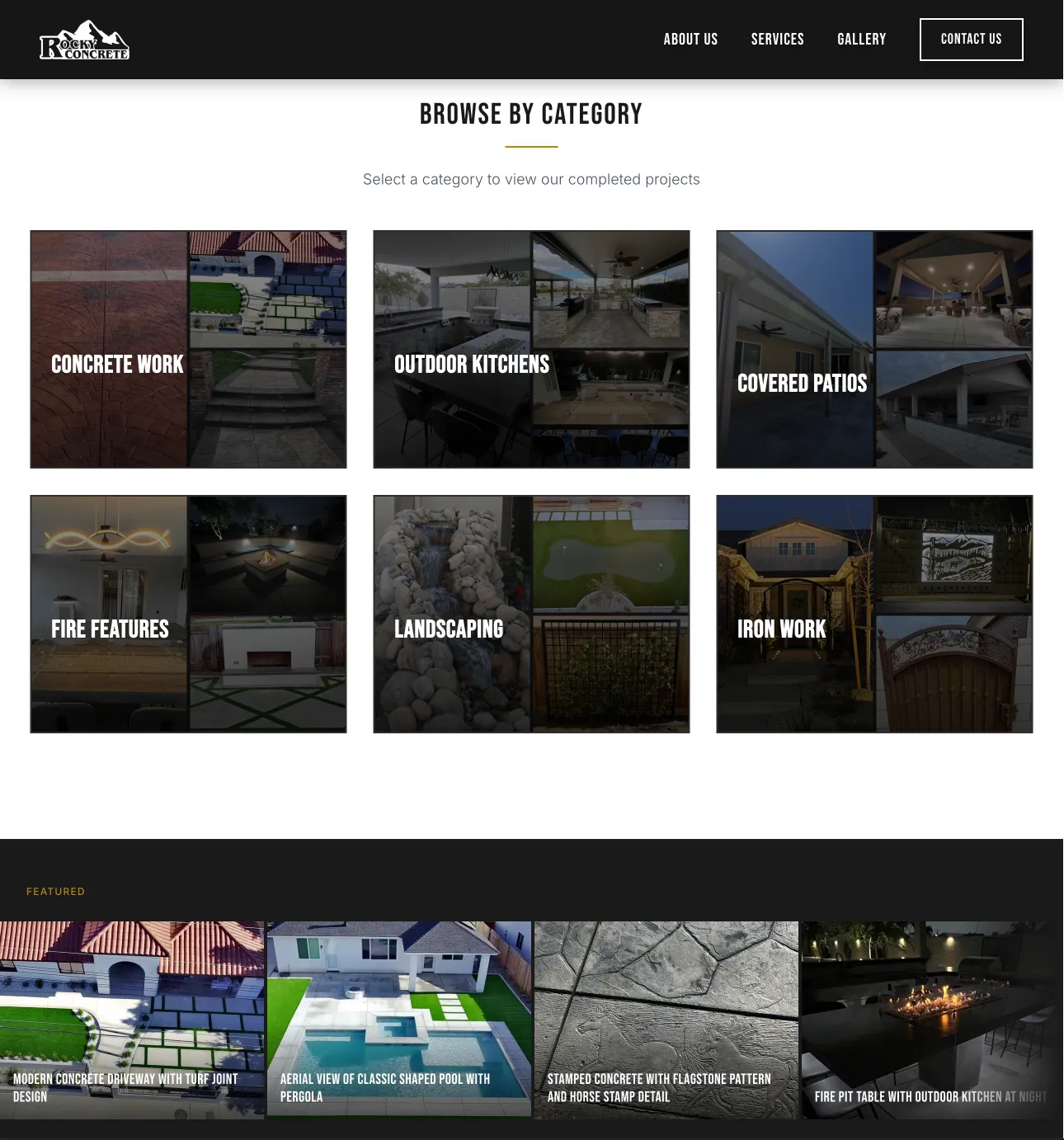
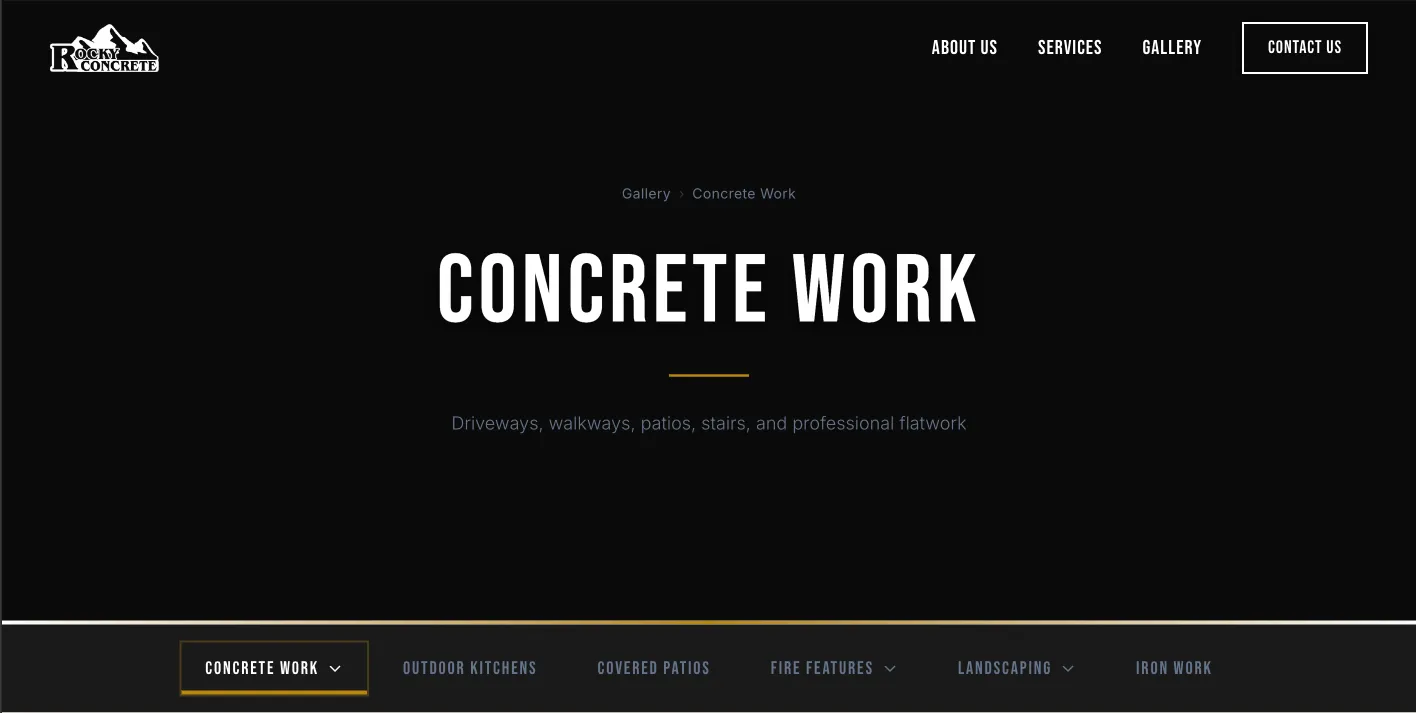
The gallery is the whole pitch. A contractor charging five figures for a patio can't have a site that looks or loads cheap. Both had to land: the look, and the speed behind it. The catch is that a gallery is the heaviest kind of page there is: dozens of high-res photos plus video, the slowest stuff to load.
It also has the most moving parts, so I built it as a pipeline and designed each layer around who's using it: he posts from the admin side, his customers browse from the public side, and a cache in the middle keeps every visitor's load fast.
No rebuild when he posts.
Moving to Sanity took his content off the repo, which was half the rebuild
problem. The pages were the other half: while the site was statically generated,
every photo he posted meant a production deploy on Netlify, a flat 15 credits
each against a 300-credit monthly cap that pauses the site when it runs out.
That's about 20 photos a month before the gallery goes dark, on a site he updates
after almost every job. So I dropped the static build, replaced getStaticPaths with validation at request time, and moved the pages to server rendering.
Now an upload writes straight to the CMS and never triggers a deploy.
On top of that, a cache keeps server rendering fast. The pages sit behind a stale-while-revalidate cache (s-maxage=1, stale-while-revalidate=30d), so visitors load instantly from the CDN while new content re-renders
in the background and appears a request later.
The video player never blocks the first load. Each video sits in the grid as a static thumbnail. The actual Mux player is dynamically imported and built only when someone opens the lightbox, so it's never in the initial bundle slowing down render. The hover preview works the same way: it only starts fetching when the thumbnail is about to enter the viewport, not on page load. Before I did this the page crawled on arrival because everything tried to load at once. Now the heavy stuff loads when it's actually needed.
Everything else is keeping bytes off the page until they're needed. Photos come off his phone at full size (~2–5MB each). I serve them through
Sanity's image CDN resized to the size they actually display, with auto('format') handing browsers WebP or AVIF, so a multi-megabyte photo lands around 50KB.
The first row loads eagerly so something's on screen right away, everything
below it is lazy-loaded, and the rest sits behind a "load more" so a visitor
isn't downloading a hundred photos to see the first twelve.
The payoff: a site that feels as premium as the work in it.
Lighthouse
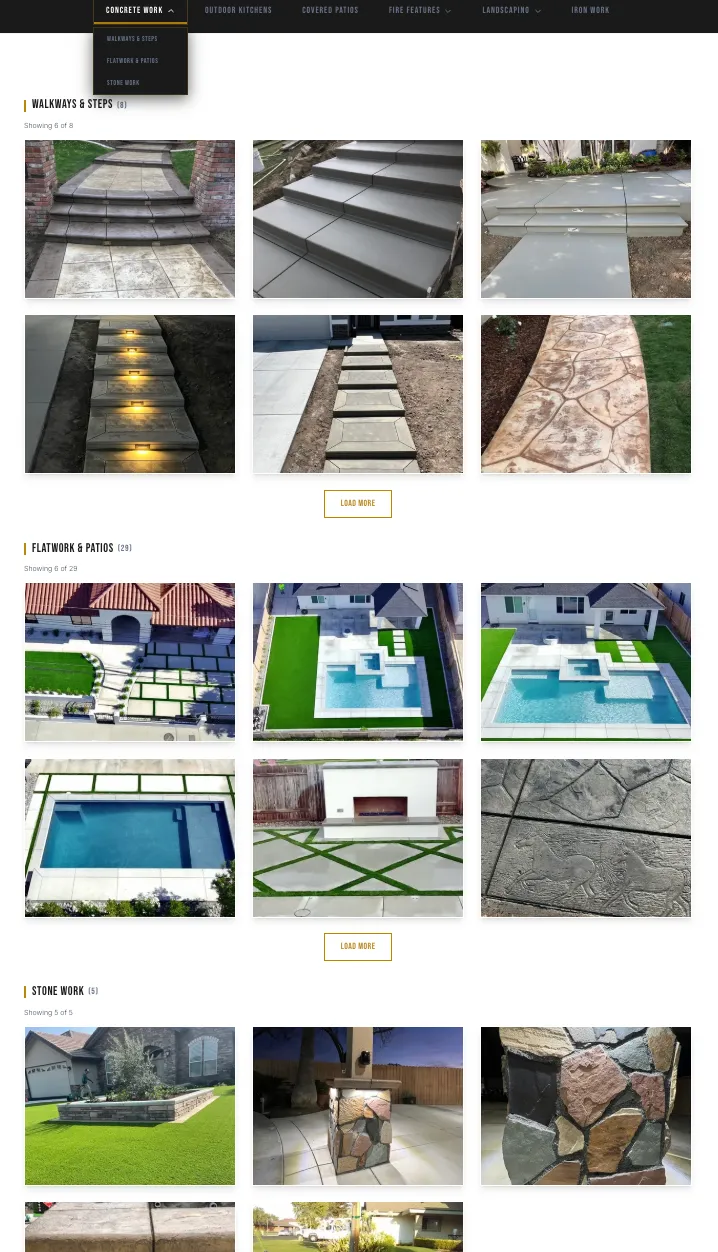
Result
Live
rockyconcreteinc.com
His primary digital presence. New customers land here before they call.
Hand-off
Runs without me
He uploads from his phone whenever he finishes a job. The photos appear on the site within a second. No rebuilds, no support tickets.
The Takeaway
The best tool isn't the one with the most features. It's the one that fits the person who has to use it.
Sanity had every feature I wanted; he needed something as simple as Instagram. So I built the simple thing on top of the powerful one, and everything underneath, the rendering, the cache, the image pipeline, exists so he never has to think about it.